VLC Media Player Cannot Play YouTube Videos [SOLVED]

VLC Media Player Cannot Play YouTube Videos

VLC media player won’t play YouTube videos is the error commonly faced by the Windows 10 users when trying to stream the videos from YouTube in the VLC Media Player. And the error presents itself with the short error message “VLC is unable to open the YouTube link. Check the log for details”.

The problem commonly occurs due to certain cookies settings on VLC media or running an outdated VLC media player version.

You can fix VLC Media Player YouTube Video Not Playing issue by disabling the cookies forwarding or updating VLC media to the latest version (discussed below)

But before directly jumping straight to the fixes here it is suggested to fix the issue on Windows 10, you first need to understand what is causing the error.

Read more

9 Best Nintendo DS Emulators for PC on Windows & Mac in 2023

Nintendo DS Emulators for PC

Do you remember the Old DS games like Pokemon, Mario, Kirby, Final Fantasy IV, and many others?

And drooling over to play these games then your quest ends here.

Yes, you heard it right..!

Today in this article I share the best Nintendo DS emulators for PC that allow you to play these games once again.

Read more

Top 12 Game Websites Not Blocked by School in 2023

nblocked games websites by school.

Presently many schools, colleges, and companies have blocked excess Flash and HTML5 gaming websites, just to make it easier for you to concentrate on what you are doing.

And this is the reason plenty of browser game sites at school and companies won’t open and make it impossible for you to play games in your free time.

But honestly, no such thing is impossible, as the https:// gaming websites are exceptional and can’t be blocked just like the Http://sites are.

However, this doesn’t mean https:// gaming websites can’t be blocked but the chances are very less to be blocked games.

So, if you are searching for the best unblocked games websites at school or the game websites not blocked by school, then this is the right place!

Read more

How To Fix YouTube Lagging, Buffering, Stuttering On Windows 10?

YouTube lagging buffering stuttering on Windows 10

YouTube is a great platform for streaming videos but sometimes it creates issues while watching the video. And YouTube lagging on Windows computers is one such issue that users are currently dealing with.

Read more

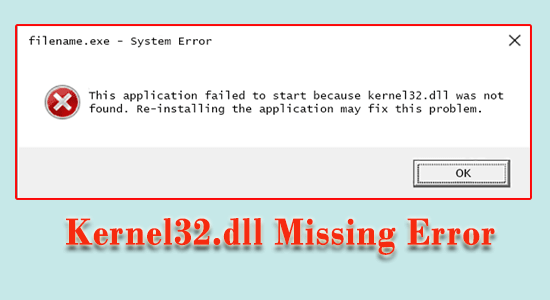
Fix Kernel32.dll Missing or Not Found Error in Windows 10 [STEP-BY-STEP GUIDE]

 Kernel32.dll Missing Error

Seeing the Kernel32.dll missing or not found error Windows 10 is really troublesome.

The Kernel32.dll error occurs due to the conflict between different programs while accessing the memory protected area engaged by kernel32.dll.

You can fix Kernel32.dll missing error by updating the device drivers and repairing corrupted Windows system files as this is caused by corrupted files. However there are other fixes as well, you can try them also.

Our guide will provide you with the complete information related to Kernel32.dll, why it occurs and the variety of troubleshooting solutions to fix it completely.

So, let’s get started..!

Read more

FIXED: Game Crashes after Overclocking CPU/ GPU [6 QUICK TRICKS]

Game crashes after overclocking CPU or GPU

Is your Game crashes after overclocking CPU or GPU? Then rest assured as you are not alone, this is a common problem claimed by many users.

Well, many of them managed to fix game crashing by resetting the overclock to default or reducing the overclock values.

Gamers are overclocking their CPU and GPU for getting better gaming performance. But some of them reported on the forums that overclocking causes game crashing.

Read more