
How to Deal with “Not Enough Disk Space for Installing Windows 10 Creators Update”?

Not enough disk space for installing Windows 10 Creators Update

If you have installed the latest update of Windows 10 (Creators update) without any problem or error then you are very lucky. As a large percentage of Windows 10 users are not able to download the Creators Update.

There are several errors, that can appear when users try to download/install this update, among all the errors the most common error is “Not enough disk space for installing Windows 10 Creators Update”.

Read more

How To Fix Game Crashes After Windows 10 Creators Update?

Game Crashes After Windows 10 Creators Update

Creators Update is one of the major and popular Windows 10 Update as it comes with some great features. But after the rollout of this update, forums, and discussion sites got flooded with the “Game crashes after Windows 10 Creators Update” issue.

Read more

[Part 3] Top 50 Device Manager Error Codes and Their Fixes

get rid of Device Manager Error In this blog you will learn about the rest 20 device manager error codes with their possible solution.

If you want to read the previous part of this blog then you should visit [Part 1] Top 15 Device Manager Error Codes and Their Fixes

and

[Part 2] Top 50 Device Manager Error Codes and Their Fixes which contains 15 error codes in each blog.

Now, come to the point and search for the error from which your system is suffering and apply the given solution.

If you are unable to find the error code in this part then visit the part 1 and part 2 of this blog and search for your error code.

Read more

[Part 1] Top 50 Device Manager Error Codes and Their Fixes

get rid of Device Manager Error Device manager with errors can affect the system performance and if ignored then it can become more dangerous for any computer or laptop.

The list of device manager error codes is very huge, and these errors are also very difficult to understand for the normal users.

Read more

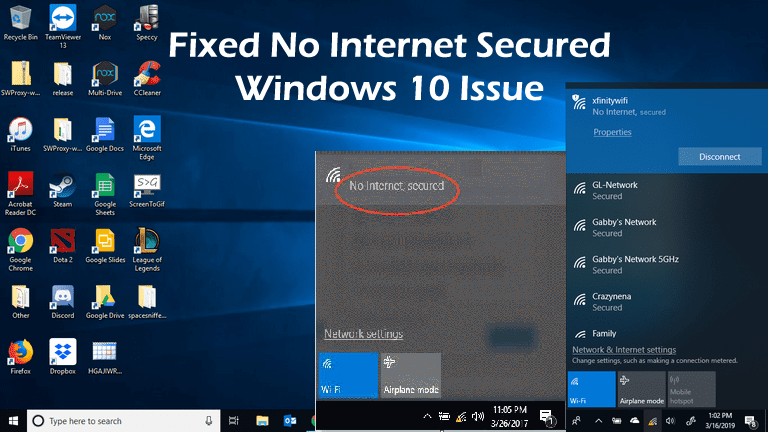
[SOLVED] How to Fix “No Internet Secured” Connection Error Windows 10

no internet secured issue

Are you receiving “No Internet, Secured” error while trying to connect to the internet through Wi-Fi? Don’t know how to fix no internet secured Windows 10 error then this article is for you.  Here you will get the complete fixes to resolve wifi no internet secured error. 

The issue is a little bit different from other internet problems, as you are connected to the internet through a Wi-Fi router, but fails to connect to the Internet and as a result unable to get to any web page.

When you check your Internet connection, you are most likely to see a small yellow triangle, and by clicking on it, you’ll see the No Internet, secured error message. This error seems to cause by invalid IP configuration.

Many users are found reporting about the issue in the bottom right side of the wireless icon a small yellow triangle appears and while clicking on it no internet secured error message appears.

Well, this is a strange problem but the best part is it can be fixed.

There are many different reasons responsible for the no internet secured Windows 10 error. The most common one is the change in configuration settings like your IP address as this cause the router to cause issue during connecting to the internet.

Read more

[SOLVED] How to Fix UNEXPECTED KERNEL MODE TRAP in Windows 10?

"unexpected kernel mode trap"

Unexpected kernel mode trap or error code 0x0000007F is an irritating blue screen error that appears on the Windows 10 system or laptop,

This error links to the Blue Screen of Death (BSOD) and causes Windows 10 PC randomly freezing.

Windows 10 system starts throwing an error message “unexpected_kernel_mode_trap” due to many causes, it is actually a bug check service showing that CPU generated a kernel mode trap unsuccessful to hold the trap.

Read more

[Video] How to Fix DLL Files Missing on Windows 10 Computer

Watch how to fix Windows 10 and other operating systems DLL Errors with ease, this video tutorial will guide you to fix any kind of DLL issues. For more watch this video…

Read more

[FIXED] How To Resolve System Backup Failed on Windows 10?

Resolve System Backup Failed on Windows 10

Summary: System Backup failed on Windows 10 computer? Well, this is a very common issue among Windows 10 users. However, you can easily fix this issue with just a few steps. But for this, you have to read this article till the end and try out the solutions listed down here to fix the system image backup failed issue.

Creating a backup and updating them on a regular basis is one of the best practices to keep your data safe from any sudden data loss. Through this, you can recover from any kind of data loss situation after a system failure or damage/corruption of the system.

Read more